Fix Your WordPress Website Redirecting To Spam Sites
Is your WordPress website redirecting to spam sites only when you are not looking? Do visitors land on a casino page, fake giveaway, or suspicious download instead of your homepage? That is not a quirky WordPress feature. It is usually a security breach, and your website has decided to become an unpaid salesperson for scammers.
For a business, the damage can move quickly. Leads abandon the site, Google may flag unsafe pages, ad campaign traffic gets wasted, and your brand loses credibility with people who were ready to buy.
Why a WordPress Site Redirects to Spam Sites
A spam redirect occurs when malicious code sends visitors from your legitimate website to another destination without their permission. The attacker may redirect every visitor, only mobile users, or people arriving from Google.
Most WordPress redirect malware enters through one of these routes:
- An outdated WordPress core, plugin, theme, or server component with a known vulnerability
- A nulled or pirated premium theme or plugin containing a hidden backdoor
- Weak, reused, or compromised administrator, hosting, FTP, or database passwords
- An abandoned plugin that no longer receives security patches
- Incorrect file permissions that let an attacker write malicious files
- A compromised hosting account or another infected site on the same server
How To Fix WordPress Website Redirects
#1 Scan Files, Themes, and Plugins
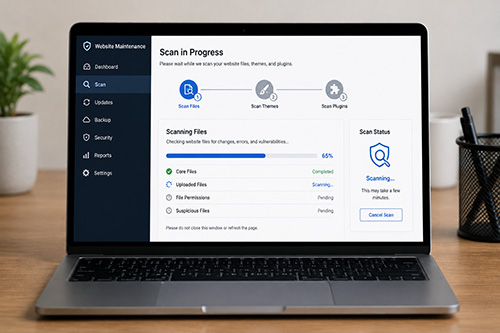
The first task is to compare WordPress core files against clean originals and inspect modified files.
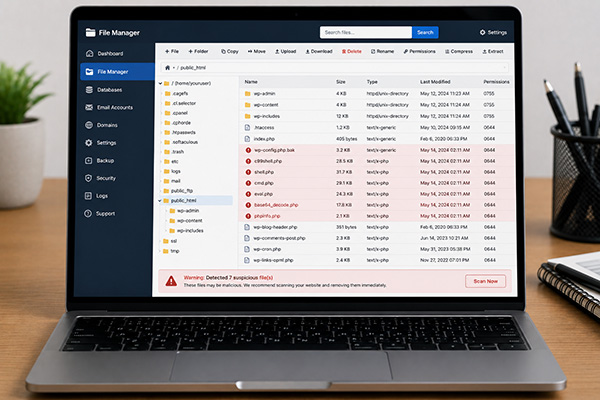
Common red flags include unfamiliar PHP files in upload folders, unreadable encoded code, altered wp-config.php settings, and scripts injected into theme headers or footers. Remove the malicious codes from the files completely.
Removing an infected plugin may be necessary, but reinstalling a clean version from a trusted source is usually safer than trusting files that may have been altered. Any nulled extension should be removed completely.
#2 Check the Database and Scheduled Tasks
Not all redirect malware lives in files. Attackers may inject scripts into posts, widgets, site options, or database tables. They can also add hidden WordPress cron jobs that reinfect cleaned files every few hours.
A thorough cleanup checks for unfamiliar administrator users, suspicious site URLs, altered widget content, malicious JavaScript, and database entries created around the time the redirects began. Scheduled tasks, server cron jobs, and unknown web shells need to be removed as well.
#3 Remove Backdoors Before Calling It Clean
The visible redirect is often only the symptom. A backdoor lets an attacker regain access after the website appears fixed. It may be disguised as a normal file name, hidden deep in a plugin folder, or placed inside an image upload directory where PHP files do not belong.
This is why deleting one suspicious script rarely solves the problem. Every unauthorized file, user account, access key, and persistence mechanism must be addressed.
After you clean your website
- Change critical credentials. Reset WordPress administrator, hosting panel, FTP or SFTP, database, and email passwords. Use unique, long passwords and remove accounts that are no longer needed.
- Check hosting access logs. Look for unfamiliar logins, unusual file uploads, repeated failed access attempts, and newly created administrator accounts.
Hiring a Malware Removal Expert!
You can handle a minor issue internally if you have a recent clean backup, know exactly when the infection began, and have technical staff who can inspect files, databases, and server access. But a redirect that persists after updates or appears only for certain users is rarely a simple fix.
Hiring a professional website support is crucial when Google has flagged the site, paid campaigns are live, customer transactions are involved, or the infection returns after a previous cleanup. At Innomedia, we investigate malicious redirects, remove infected code, secure WordPress installations, and provide ongoing website maintenance so your team can focus on leads and operations rather than chasing spam URLs.