What a WooCommerce Cart Critical Error Means
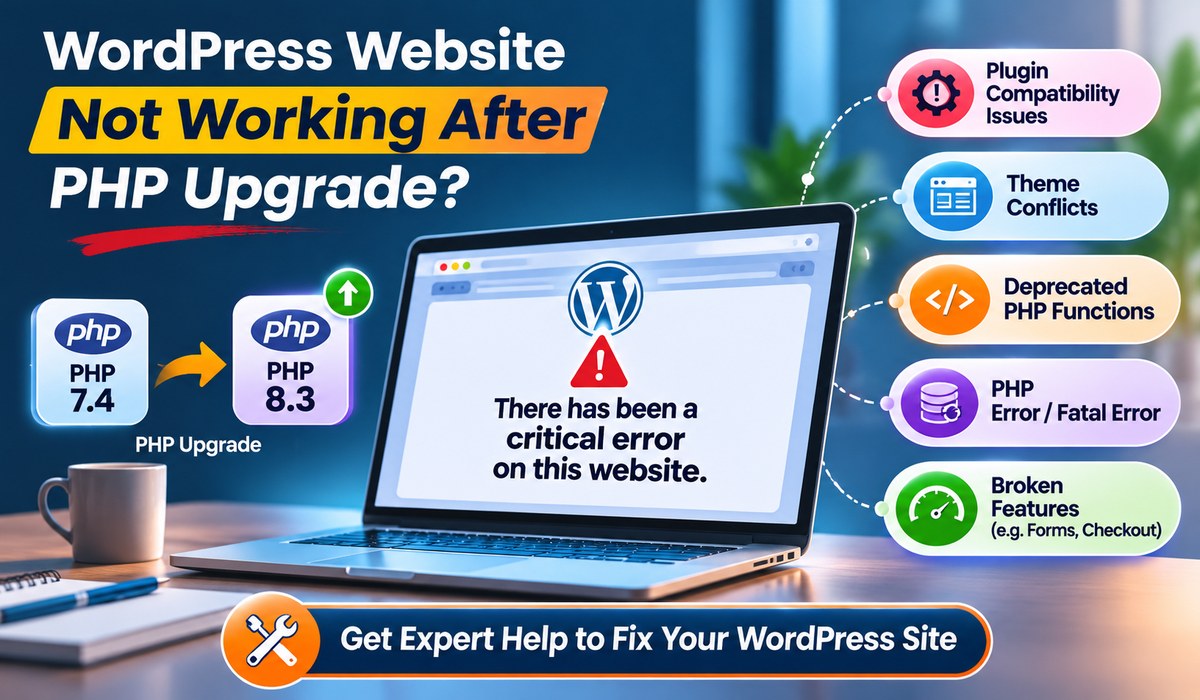
WordPress displays a “There has been a critical error on this website” message when code triggers a fatal PHP error. On a WooCommerce cart page, that failure may come from WooCommerce itself, a plugin, a theme function, server settings, or a recent update.
The visible message is only the symptom. The actual cause is usually recorded in your website’s error logs or WordPress debug log. Guessing and changing random settings may make matters worse, particularly on a live store processing orders.
Common symptoms include:
- The cart page returns a critical error or blank screen
- Customers cannot update item quantities or remove products
- The mini-cart stops loading after an update
- The cart works for administrators but fails for visitors
- Checkout fails after a cart-related action
- A recent plugin, theme, PHP, or WooCommerce update triggered the issue
If the error began right after a change, that timing is a valuable clue. It does not automatically prove the latest update is faulty, but it gives your developer a sensible place to start.
#1 Plugin conflicts
Problem:
WooCommerce relies on extensions for payment gateways, shipping rules, subscriptions, product add-ons, currency switching, caching, security, and more. These tools are useful, but a plugin may conflict with WooCommerce, another extension, or your current WordPress version.
Cart and checkout errors often involve plugins that alter pricing, sessions, coupons, product quantities, AJAX requests, or customer data. A poorly coded plugin can also create issues after a PHP update.
Solution:
If a plugin conflict is identified, update that plugin to a compatible release, replace it with a maintained alternative, or ask its developer for support. Disabling the plugin may restore the cart, but first assess what function it controls. Disabling a shipping or payment extension without a plan can create a different sales problem.
#2 Outdated or incompatible software
Problem:
WooCommerce, WordPress, your theme, and plugins need compatible versions. Delaying updates forever introduces security and stability risks. Updating everything at once on a live site, however, can also cause disruption.
Compatibility issues are especially common when a custom theme overrides WooCommerce template files. An old cart template may work for years, then fail after WooCommerce changes a function or data structure.
Solution:
Upgrade your website fully. This may include the WordPress Core, plugins (including WooCommerce), & themes.
#3 Theme or custom code problems
Problem:
Many eCommerce websites have custom code added to a child theme, functions file, or code snippets plugin. This code might change cart behavior, add fees, modify shipping logic, or hide fields.
One missing bracket, outdated function, or code snippet written for an earlier WooCommerce release can bring down the cart. The problem may also appear only under specific conditions, such as when a customer uses a coupon or selects a particular shipping method.
Solution:
If your theme is the cause, update the theme or https://websitesupport.sg/website-upgrade-services/. Custom changes should live in a child theme or properly managed custom plugin where possible. Editing a parent theme directly makes future updates harder and can cause the fix to disappear.
#4 PHP version and server limitations
Problem:
Your web server runs PHP, the programming language behind WordPress and WooCommerce. An unsupported PHP version, insufficient memory limit, restricted server configuration, or a damaged hosting environment can generate critical errors.
For example, a store with numerous plugins may exceed its PHP memory allocation during cart calculations. The issue might be more noticeable during promotional periods when traffic and simultaneous cart activity increase.
Solution:
Pay attention to the PHP version of your server. You can check & update the PHP version using your control panel. You can also ask your web hosting support to update the PHP to its latest version. When PHP memory is exhausted, increasing the memory limit may help, but it is not always the root solution. A plugin consuming excessive resources, a looping function, or inefficient product logic should be investigated rather than hidden behind bigger server limits.
#5 Caching, sessions, and database issues
Problem:
Cart pages are dynamic. They should not be cached in the same way as a standard service page or blog article. If a caching plugin, CDN, or server cache stores cart content incorrectly, shoppers may see stale items, empty carts, or session-related errors.
Database problems can also interfere with WooCommerce sessions, customer data, and order records. These need careful handling because an incorrect database repair can affect more than the cart page.
Solution:
For caching issues, exclude the cart, checkout, and customer account pages from page caching. Review any optimization settings that delay JavaScript, combine scripts, or interfere with WooCommerce AJAX requests. Performance tools can improve load speed, but they need eCommerce-aware configuration.
When to Get Professional WordPress Support
Some fixes are straightforward. Others involve custom code, database repair, payment workflows, malware, or server-level configuration. If your store is actively taking orders, there is value in getting technical help early rather than experimenting on the live site.
Professional website support is particularly useful when the error returns after temporary fixes, the cart failure follows a suspected hack, orders are missing, or an update breaks custom checkout features. Innomedia can help businesses identify the root cause, restore store functionality, and put a maintenance plan in place so website issues do not keep competing with sales and growth work.